




Table of Contents
Introduction
The rapid ascent of artificial intelligence (AI) has triggered a new wave of demand for robust computing hardware, as professionals strive to unlock the next generation of innovation. Choosing the right workstation is more important than ever, with developers and enterprises seeking solutions that meet both technical and business requirements. Whether building custom environments or investing in a purpose-built deep learning workstation, understanding hardware specifications and upcoming trends is essential.
AI workloads are notoriously resource-intensive, straining even the most advanced systems with massive amounts of data and complex model architectures. The ideal workstation delivers both computational power and future-focused flexibility. By integrating the latest progress in hardware with smart software practices, professionals can maximize their investment and accelerate their AI journey.
With breakthroughs arriving each year, staying current with hardware and software trends is vital for anyone aiming to remain competitive. As AI shifts toward local and edge computing, workstations are becoming smarter, adaptable, and capable of processing tasks once reserved for data centers. From high-performance GPUs to agile CPUs and advanced memory architectures, the workstation market is evolving rapidly. This article explores what makes an AI-ready workstation, highlights the latest advancements, and profiles top solutions for developers and organizations.
Essential Components of an AI-Ready Workstation
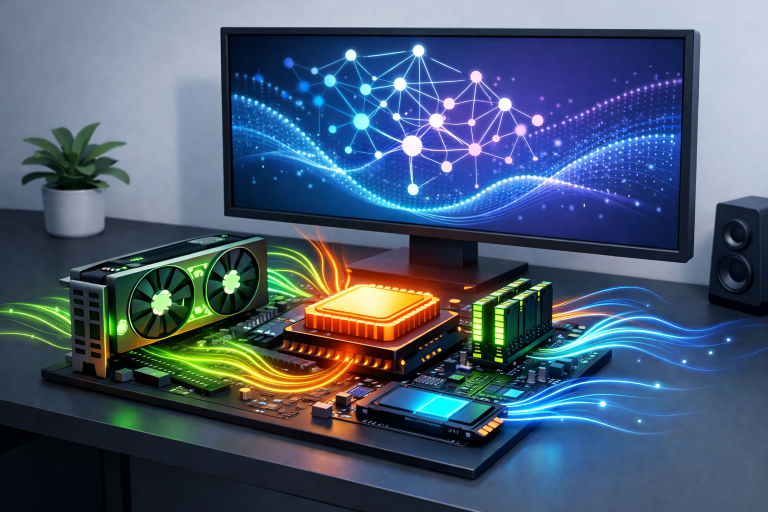
Entering the world of AI requires much more than a standard desktop. The right workstation must integrate several critical components, each contributing to performance and efficiency:
- Graphics Processing Unit (GPU): A top-tier GPU is the backbone of any AI workstation. Models such as NVIDIA’s RTX 6000 Ada GPUs excel at large-scale training, predictive analytics, and accelerated workloads, a must-have for any AI-focused system.
- Central Processing Unit (CPU): While GPUs handle parallel workloads, CPUs such as Intel’s 5th Generation Xeon Scalable Processors manage sequential tasks and backend processing. Balancing both results in a more efficient system, ensuring low latency and smooth multitasking.
- Memory (RAM): Large datasets demand substantial memory. Workstations with up to 128GB DDR5 RAM support the rapid data access required for training models, running simulations, and more.
- Storage: Large AI workloads generate and process huge amounts of data. Utilizing fast NVMe SSDs with up to 12TB of capacity is essential for accelerating data-intensive tasks and minimizing bottlenecks.
Advancements in AI Hardware and Software Integration
The intersection of hardware advancements and software optimization is reshaping what’s possible in local AI development. Manufacturers are now delivering seamless, tightly integrated solutions tailored for high-demand scenarios:
- Intel’s Project Battlematrix: This platform brings together Arc Pro B-series GPUs with advanced software like LLM Scaler 1.0, enabling up to 4.2x faster processing of large language models. Built-in software optimizations reduce unnecessary resource usage and accelerate inference.
- Razer’s Forge AI Dev Workstation: Aimed at professional developers, Forge AI supports configurations with up to four GPUs and a choice of high-end CPUs, perfect for everything from natural language processing to deep learning.
Soaring demand for high-efficiency hardware has pushed manufacturers into partnerships with chipmakers and AI firms, continually refining their product offerings.
Top Workstation Options for AI Development
With the number of options on the market growing rapidly, key models are emerging as standards for both enterprise and individual users. These industry-leading workstations are designed to withstand the toughest AI and machine learning problems:
- HP Z8 Fury: With support for up to four NVIDIA RTX 6000 Ada GPUs and cutting-edge Intel processors, HP’s Z8 Fury is ideal for local compute and graphics-heavy AI workloads.
- Lenovo ThinkPad P Series: These laptops prioritize performance and mobility, offering NVIDIA RTX 6000 Ada GPUs for remote or on-device model development, inference, and content creation.
- Asus ExpertCenter Pro ET900N G3: Powered by NVIDIA’s RTX 6000 Ada GPUs, this solution delivers impressive AI performance for even the most demanding use cases.
Balancing Hardware and Software for Optimal Performance
Investing in powerful hardware is only part of the equation. Enterprises are turning to smarter software solutions to extract greater value from their resources. Techniques such as memory tiering, workload balancing, and oversubscription help organizations stretch CPU and memory capacity further. These methods enable more agile and cost-effective infrastructure, reinforcing private or hybrid cloud platforms as dynamic control layers. Ultimately, optimizing software is seen as a more practical, scalable solution than endlessly upgrading hardware.
Future Trends in AI Workstations
The future of AI-ready workstations lies in tight integration, efficiency, and adaptability. Intel forecasts that over 130 million AI-enabled PCs will ship in 2026, making up more than half of the total PC market. These devices are expected to feature built-in neural processing units (NPUs), transforming standard desktops into local AI processing powerhouses. This shift signals a move away from reliance on cloud computing, with more organizations preferring to process sensitive data in-house for privacy and speed. Emerging hardware is being designed with this evolution in mind, providing more self-sufficiency for users across industries.
Conclusion
Staying ahead in AI means investing wisely in both hardware and software. By understanding your unique workload requirements, following industry trends, and choosing from the best workstations available, you can future-proof your AI development efforts. The race to innovate is accelerating, and the right tools make all the difference in turning data and models into transformative results.